Comparing Simulations
Defining a parametric port
Let’s define a port which can be customised parametrically:
// This represents an object in our simulation
class Truck

fun examplePort2(
    // We allow the number of lanes to be customised
    numberOfLanes: Int
): Scenario = buildScenario {
    arrivals(
        "Truck Arrivals",
        Generators.constant(::Truck, Delays.exponentialWithMean(5.minutes)),
    )
        // We split the trucks into `numberOfLanes` lanes:
        .thenFork("Truck Split", numLanes = numberOfLanes) { i, lane ->
            // The lanes each have the trucks queue for a long service
            lane.thenQueue(label = "Long Service Queue $i")
                .thenService(label = "Long Service $i", Delays.exponentialWithMean(30.minutes))
        }
        // The trucks then merge back into 1 lane...
        .thenJoin(label = "Truck Join")
        // ...and leave the simulation
        .thenSink(label = "Truck Departures")
}.withMetrics {
    // Track how long each truck spends in the network
    trackGlobal(ResidenceTime)
}
Running the Simulations
fun main() {
    val simulations: Map<String, Scenario> =
        // Try 3-8 lanes
        (3..8).associate { numLanes ->
            "$numLanes Lanes" to examplePort2(numLanes)
        }

    // Run all the simulations and compare results
    runSimulations(simulations, 20.days)
}
Visualising the Results
To follow along. Inside SimPort-Tutorial run
git checkout ":/02-comparing-simulations"
gradlew run
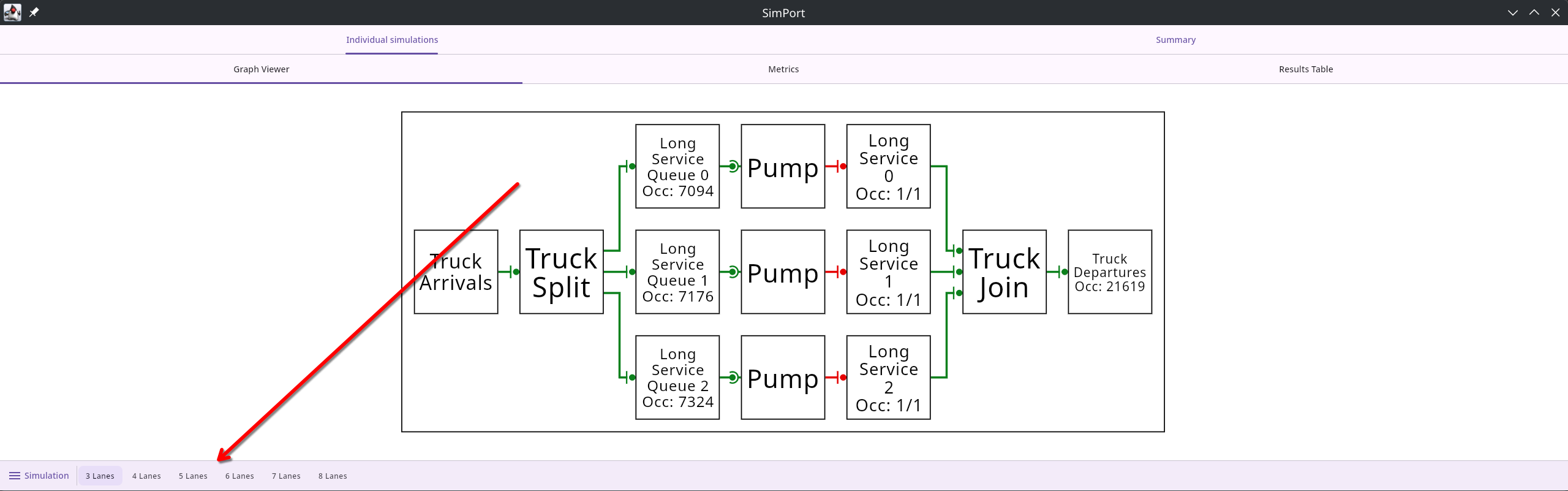
The bottom tabs allow you to switch between the different simulations:
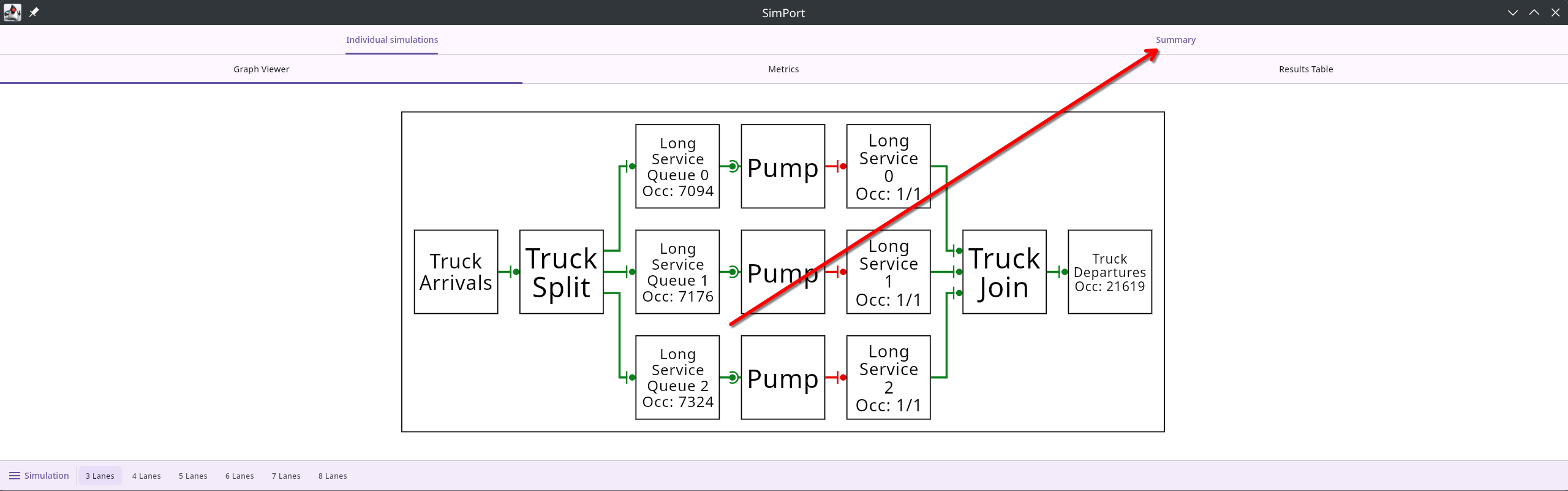
The summary metrics tab shows graphs with metrics aggregated across all simulations:
Hold the left mouse button over the graph to see the breakdown of the metrics at that point in time:
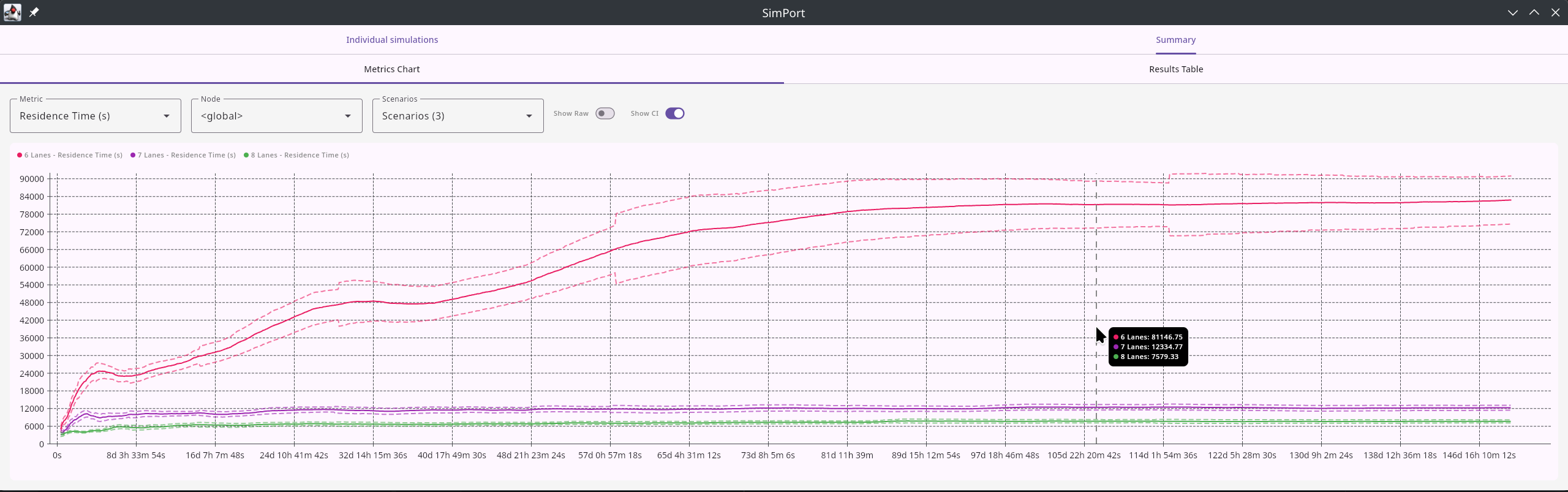
When we defined the port, we specified to trackGlobal(ResidenceTime). This tracks the amount of time trucks spend moving through the port. For ports with over six lanes, the time stabilises showing that the port is large enough to handle the input.