Core Concepts
For this project, we designed a somewhat non-standard simulation model. Our models differ slightly from a petri-net.
In our model, everything is a node. A road is a node that takes cars as inputs and outputs cars after a delay to represent the travel time. A loading crane is a node that has a container input, an empty truck input, and an loaded truck output.
A node’s behaviour is customised similar to a state machine: it’s a class with callbacks that get called when events happen. The class’s data corresponds to the state of a state machine and the behaviour of the callbacks define the transitions of a state machine. These callbacks can schedule additional callbacks that will be called after a specified delay.
This file is separated in sections. Some sections labelled with “Concept:” explain core concepts while sections labelled with “Example:” provide small examples use the concepts with within a small simulation.
Concept: Simple Road Node
To represent a road node, we create a node that schedules a send event on its output channel after a delay.
class Road(inputChannel: InputChannel<Truck, ChannelType.Push>, outputChannel: OutputChannel<Truck, ChannelType.Push>) :
    Node("Road", listOf(inputChannel), listOf(outputChannel)) {
    init {
        inputChannel.onReceive { truck ->
        	scheduleDelayed(10.seconds) { outputChannel.send(truck) }
        }
    }
}
We call the parent Node constructor to tell the simulator what this nodes inputs and outputs are. This will be used to visualise the port. In the init function, we register a callback for when the channel receives a truck. When that happens, we schedule a callback to happen 10 seconds later whereby we send the truck through the output channel
Example: Simple Port
We can create a port by connecting a source node, our delay node, and a sink node. We recommend using the DSL for more conveniently defining bigger ports but for simplicity sake, we can define a port directly without using the DSL.
fun DemoBasicPortWithoutDSL(): Scenario {
    /* Define the connections between nodes */
    val (outputToRoad, inputForRoad) = newPushChannel<Truck>()
    val (outputToSink, inputForSink) = newPushChannel<Truck>()

    /* Define nodes */
    val truckArrivalsPerHour: Double = 50.0
    val sourceNode: SourceNode =
        ArrivalNode(
            "Arrivals",
            outputToRoad,
            Generators.constant(Truck, Delays.exponential(truckArrivalsPerHour, DurationUnit.HOURS)).let { it },
        )
    val road = Road(inputForRoad, outputToSink)
    val sink = SinkNode("Sink", inputForSink)

    return Scenario(listOf(sourceNode), mutableListOf())
}
Additionally, our library is built with a visualisation component that shows a port layout with a simulation.
// TODO update this with better instructions after marcus creates the library
fun main() {
    // Static visualisation
    application {
        Window(
            onCloseRequest = ::exitApplication,
            title = "SimPort",
            state = rememberWindowState(placement = WindowPlacement.Maximized),
        ) {
            val scenario = DemoBasicPortWithoutDSL()
            LiveVisualisation(scenario)
        }
    }
}
You should be able to see the following port. Click run to play the simulation. If the simulation is taking too long, click the step button to jump the simulation forward. Stepping simulates the port as fast as possible without slowing down to render events at the play speed. The arrows are green to represent that the channels are open. When channels are closed they are drawn with red.
Concept: Push and pull channels
We have two types of channels: push channels allows the source node to push objects to the destination node, pull channels allows the destination node to pull objects from the source node.
A push channel is represented with a pushing symbol. A pull channel is represented with a circular grabbing symbol.
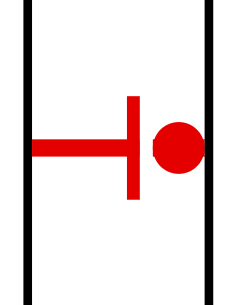 | 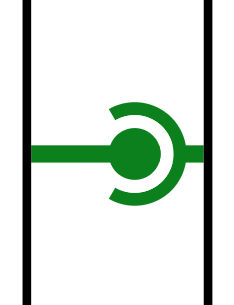 |
|---|---|
| Push Channel | Pull Channel |
Push and pull channel events / callbacks
Pull channels:
Pull channels are supposed to allow destination nodes to decide when to pull an object. Therefore, a pull channel has the concept of ready. When a pull channel is ready the destination node can pull an item from the source node. Below are the extension functions that allow nodes to register callbacks on pull channels / change the state of a pull channel. For example, the source node can call markReady() to tell the destination node that they can now pull an item from the channel. The destination node can register a callback via whenReady({...}) to be notified.
fun PullInputChannel<*>.isReady(): Boolean = asImpl().isReady()

context(_: Simulator)
fun <T> PullInputChannel<T>.receive(): T = asImpl().receive()

fun PullInputChannel<*>.whenReady(
    callback:
        context(Simulator)
        () -> Unit
) = asImpl().whenReady(callback)

fun PullInputChannel<*>.whenNotReady(
    callback:
        context(Simulator)
        () -> Unit
) = asImpl().whenNotReady(callback)

context(_: Simulator)
fun PullOutputChannel<*>.markReady() = asImpl().markReady()

context(_: Simulator)
fun PullOutputChannel<*>.markNotReady() = asImpl().markNotReady()

fun <T> PullOutputChannel<T>.onPull(
    callback:
        context(Simulator)
        () -> T
) {
    this.asImpl().callback = callback
}
Pulling from an input channel that is not ready will throw an exception
Push channels:
Push channels are the channels we used in the simple port example. They allow the source node to send an item to the destination node. Additionally, the destination node can tell the source node that they are full and can no longer accept inputs.
The source node of a push channel can ask if a push channel is open and push into an open channel. If the channel is not open during a push, an exception is thrown (and the simulator crashes if the exception is not caught). Additionally, it can register a callback for when the channel is opened or closed. The source node can register callbacks for when a channel is opened or closed.
context(_: Simulator)
fun PushInputChannel<*>.open() = asImpl().open()

context(_: Simulator)
fun PushInputChannel<*>.close() = asImpl().close()

fun <T> PushInputChannel<T>.onReceive(
    callback:
        context(Simulator)
        (T) -> Unit
) {
    this.asImpl().callback = callback
}

fun PushOutputChannel<*>.whenOpened(
    callback:
        context(Simulator)
        () -> Unit
) = asImpl().whenOpened(callback)

fun PushOutputChannel<*>.whenClosed(
    callback:
        context(Simulator)
        () -> Unit
) = asImpl().whenClosed(callback)
Pushing into an channel that is not open will throw an exception
We initially only had push channels. However, we realised that it was not enough to represent match nodes, our equivalent to a petri-net transitions. A petri-net transition waits for all its input channels to have an object before simultaneously pulling an object from every input channel.
This came to a head when we tried to represent a subnetwork with limited capacity. This subnetwork is represented by a match node which matches a token with an incoming item. The match node limits the amount of things in the subnetwork. At the exit of the subnetwork, a split node takes the token off and puts it into the queue which feeds back into the match node to allow more things to enter. With just a push node, a vehicle will get stuck in the match node while its waiting for the subnetwork to be ready. This is undesirable because if the subnetwork is preceded by a split node, other subnetworks might be ready and the vehicle should’ve entered one of the other paths instead of waiting at this one.
Moreover, push forks are nicely symmetric to pull joins. A push fork takes in one input and chooses one output to push into. A pull join takes in a number of pull inputs and one output. It can decide from which channel to pull from.
Converting between push and pull channels with queues and pumps
Nodes typically only take in either push channels or pull channels. Sometimes, we’ll want to place them in the port but the pull / push channel type doesn’t match.
We can use queues to convert from a push channel to a pull channel. The queue collects items until whenever the downstream node wants to pull from it.
Symmetrically, a pump converts from a pull channel to a push channel. The pump pulls from the input whenever the input is ready and pushes the object through the output channel.
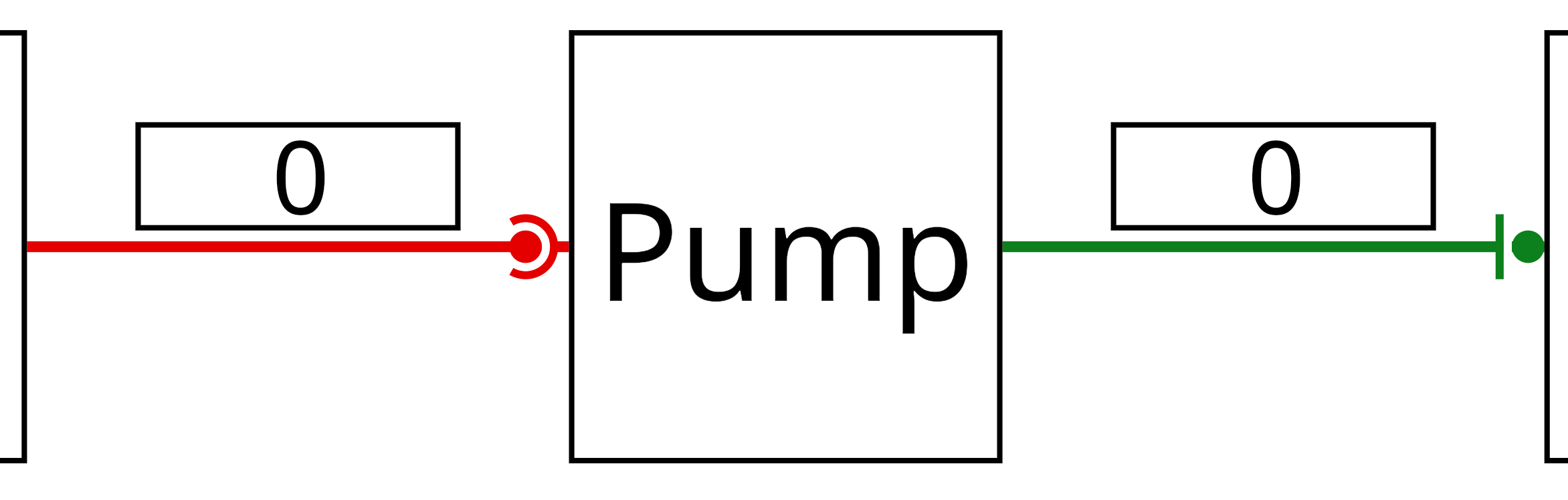 | 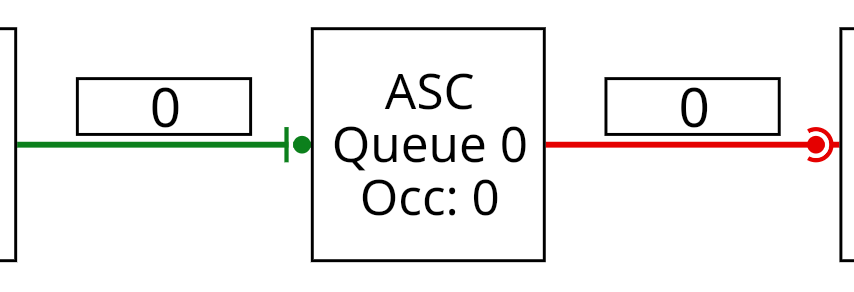 |
|---|---|
| Pump | Queue |
Note: Patterns to use for safely writing nodes
Because events are based on callbacks, it could be the case that there is a cycle in the graph resulting in the callback being called before it has returned. Re-entry is complicated because the object’s internal state might be in a weird state so we strongly recommend that nodes do not send objects immediately upon being notified. When a node wants to send an object immediately after receiving a notification it should schedule a callback with 0 delay. The 0 delay callback should check that when it’s called the state is still open / ready before pushing / pulling. This is because pull-forks or push-joins nodes might notify several nodes that they’re ready and it might be the case that by the time the callback has been called the fork node’s item is already gone.
A good pattern to use:
class PumpNode<T>(
    label: String,
    private val source: PullInputChannel<T>,
    private val destination: PushOutputChannel<T>,
) : Node(label, listOf(source), listOf(destination)) {

    private var isScheduled = false

    init {
        source.whenReady { schedulePump() }
        destination.whenOpened { schedulePump() }
    }

    context(_: Simulator)
    private fun schedulePump() {
        if (isScheduled) {
            return
        }
        isScheduled = true
        schedule {
            if (source.isReady() && destination.isOpen()) {
                destination.send(source.receive())
            }
            isScheduled = false
            if (source.isReady() && destination.isOpen()) {
                schedulePump()
            }
        }
    }
}
This is taken internally from the pump implementation. In particular, the schedule’s lambda checks that the pull channel source.isReady and the push channel destination.isOpen() before trying to send.